Fake Capacity Flash Drives: How to Check a USB Stick or microSD
Why a 2TB thumb drive can hold 64GB and still look full size, how the lie loses your files, and how to test a stick or card before you trust it.
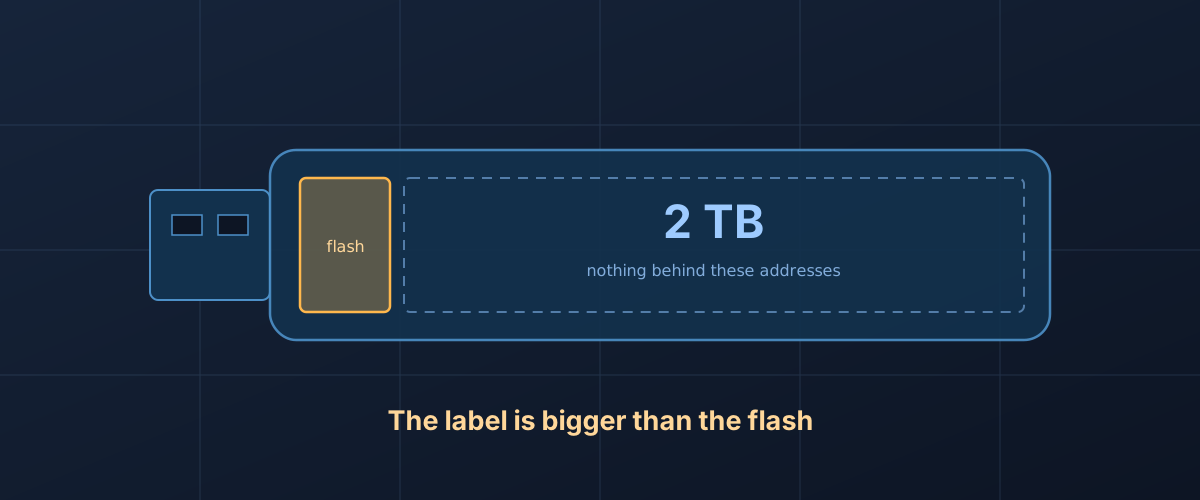
The drive was cheap for its size. It plugged in and showed up as 2TB. A folder of photos copied across without complaint, then another, then a year of videos. Every file is listed with the right name and the right size. Open one from near the end and it is blank, or it is a picture of something else entirely.
Nothing is broken in the ordinary sense. The drive was built to say it is bigger than it is, and it did exactly what it was built to do. When Steve Gibson of GRC went looking for the problem, he bought twelve inexpensive 1TB and 2TB thumb drives in September 2023 and reports that every one of them was fraudulent; one sold as 2TB held 62GB. The same trick turns up in microSD cards. Understanding how it works explains both why your computer cannot see it and why the only reliable test looks the way it does.
Your computer takes the drive’s word for its size
A computer does not measure a drive. It asks. USB sticks and card readers belong to the USB mass storage class, and the USB-IF’s class overview lists subclass 06h as the SCSI transparent command set: a device in it answers the same commands a server disk does. One of those is READ CAPACITY, and per Seagate’s SCSI command reference the reply is simply the address of the last block on the device and the size of each block. Multiply the two and you have the capacity your file manager displays.
That number comes from the controller’s firmware. On a genuine drive it matches the flash behind it. On a fake, someone has set it to whatever the label says. The operating system formats the drive to that size, builds a file system across it, and from then on treats every address up to the reported end as real.
The next part is what turns a lie into data loss. Operating systems do not read back what they write. They rely on the device to report a failed write, and, as GRC’s page puts it, these drives never report one. A write to an address with no flash behind it comes back as a success.
Why it looks fine until it doesn’t
File systems keep their bookkeeping near the start of the volume: the directory, the allocation table, the record of which file lives where. The real flash on a fake drive sits at the start of the address range too. So the part of the drive that stores file names, sizes and dates is real, and it keeps working. Everything you copy is recorded faithfully in the directory.
The contents are a different matter. Once the real flash is full, later files get addresses that point past it, and what happens there depends on how the firmware was written. The source of F3, an open-source tool built to catch these drives, names the behaviours:
- Limbo: the drive discards data written beyond a limit. Reads from those addresses return nothing useful. F3’s documentation calls this the most common kind.
- Wraparound: the drive overwrites data after a limit, so a write to a high address lands somewhere in the real flash at the start. F3’s author describes this type as rare, if it exists at all.
- Chain: a sequence of wraparound and limbo regions, also rare.
Some fakes go a step further and put a RAM cache in front of the flash. F3’s documentation shows a drive announced as 128GB, with less than 8GB of real capacity, that passed the tail of a write-then-read test because the last data written was still sitting in about 256MB of cache. Unplugging it and plugging it back in cleared the cache and exposed the loss. That is why a careful full test includes a disconnect between writing and reading.
What the label can tell you before you test
Some things are worth checking before any software gets involved.
First, a genuine drive shows up smaller than its label, not equal to it. Drive makers count a gigabyte as a billion bytes and operating systems usually count in powers of two, so a real 1TB drive shows up as about 931GB on Windows. That gap is arithmetic, not fraud, and it is not a sign of anything wrong.
Second, SD cards carry their capacity class on the label, and the class has limits. The SD Association’s capacity table puts SDHC at more than 2GB up to 32GB, SDXC at more than 32GB up to 2TB, and anything larger in SDUC. A card printed with both an SDXC mark and a 4TB capacity is contradicting itself. The same goes for the speed and class marks: the microSD symbols guide covers what each one promises.
Price is the other tell, and the least precise. If a listing is a small fraction of the per-terabyte price of the same capacity from a manufacturer that publishes a datasheet for it, the difference has to come from somewhere.
How to test a drive or card
The only test a fake cannot pass is the obvious one: write data to every address the drive claims to have, then read all of it back and compare. Anything less is sampling. The tools below differ in how much they write and how long they take.
Do this on an empty drive. A test writes to the whole drive, and if the drive is fake, the test can destroy files already on it. F3’s documentation shows exactly this: files written early in a run on a fake card came back corrupted after later files were written. Copy anything you care about off the drive first, and check the copies open.
The full pass: H2testw or f3write and f3read
H2testw, a free
Windows tool published by the German magazine c’t, fills the free space
with random data until the drive is full, then reads it all back and
compares. F3’s f3write and f3read do the same thing on macOS and Linux,
and on Windows under Cygwin, according to F3’s
introduction.
Both write 1GB files named with an .h2w extension, in the same format,
so either tool can check files the other wrote.
f3read reports every 512-byte sector in one of four columns:
- ok: the sector holds what was written.
- corrupted: the sector holds something unrelated, which is what a limbo drive returns.
- changed: the right sector with a few bits flipped.
- overwritten: a valid sector from a different position, which is the signature of wraparound.
Scale is what gives a fake away. On the fake card in F3’s own example, 28.83GB was written and 1.02GB came back intact; the other 27.81GB was corrupted. Because the drive remaps addresses, the surviving data does not have to sit in the first files written, so do not expect the damage to start neatly at file one or stop neatly at the end. A card that is genuine but failing tends to lose far less than that, and f3probe, below, reports “damaged” and “counterfeit” as separate verdicts. If the losses are small and scattered, the guide to spotting a failing drive is the better next read.
The cost is time. A full pass writes the whole claimed capacity and reads it back, and cheap flash is slow; the fake card in F3’s example wrote at 2.6MB/s, which is roughly three hours for 29GB. Two practical notes from F3’s documentation: macOS lacks the system call F3 uses to stop f3read seeing cached data, so unplug and reconnect the drive between f3write and f3read; and on a Mac, Spotlight indexes removable drives and slows the run, so exclude the drive from Spotlight first.
The quick check: ValiDrive
GRC’s ValiDrive is a free Windows tool that trades completeness for speed. Per its FAQ, it tests 576 evenly spaced 4KB regions across the declared capacity, about 2.36MB in total. At each one, according to GRC’s report documentation, it reads the existing data, writes random test data, reads that back, then writes the original data back. A region where the test data does not survive is marked as having no storage.
That makes it the least disruptive check, and it answers the question of whether storage exists across the range quickly. GRC is explicit that it is a spot check, not a deep test of the media. A pass means storage is present at the points it sampled, which catches the fakes this piece describes but does not certify every block.
The fast full answer on Linux: f3probe
f3probe works on the raw block device rather than on files, and it is designed around a model of how fakes behave, so it writes very little. F3’s documentation shows it identifying a drive announced at 15.33GB as a limbo fake with 7.86GB usable in 1 minute 13 seconds, after writing 2,158 blocks. On a genuine drive it writes about half the capacity or 2GB, whichever is smaller.
It needs root and the correct device name, and pointing it at the wrong
disk can damage that disk; F3’s author stresses this in capitals. By
default it runs in a conservative mode that saves and restores the
blocks it touches, but the documentation warns against relying on that,
since a crash or an unusual fake can leave the drive changed. With the
--destructive flag it skips the restore entirely and whatever was on
the drive is lost. Use it only on a drive you have already emptied.
What does not catch it
Disk checkers are the wrong tool. F3’s documentation makes the point
about fsck and badblocks: they assume hardware can fail but will not
lie, and a drive built to lie can satisfy them, or appear to be repaired
when it is not. A quick format does not help either: it only rewrites
the file system’s own structures, and those sit in the real flash at the
front.
If the test says it is fake
Stop writing to it. Anything on it beyond the real capacity is already gone or will be, and on a wraparound drive new writes can take out older files too. Copy off whatever you still need and open each file to check it, rather than trusting that the copy completed.
Then return it if you can. A drive that holds a fraction of its label is not what was sold, and the test output is your evidence, so keep a screenshot of it.
F3 includes a tool, f3fix, that rewrites the drive’s partition table so the partition covers only the storage that exists. This erases the drive and cannot be undone, and F3’s documentation says to reformat and rerun the full test afterwards. It turns a fake 2TB drive into an honest small one. Whether that small one deserves anything you would miss is a separate question: flash that someone sold under a false capacity is unlikely to be the best flash available, and nothing about it came with a datasheet you can check.
The short version
A fake drive answers the computer’s “how big are you” question with a number from its firmware rather than from its flash, and keeps real storage at the front where the directory lives, so everything looks normal until you open a file that was written past the edge. Only a write-and-verify test across the whole claimed capacity settles it. Run one on any new stick or card before it holds the only copy of anything, do it while the drive is still empty, and if gigabytes come back corrupted, you have your answer.