Why Your SSD Slows Down Copying Large Files
The write speed on the box is a cache speed, not a sustained one. Here's what determines how long it lasts, and why a fuller drive runs out sooner.
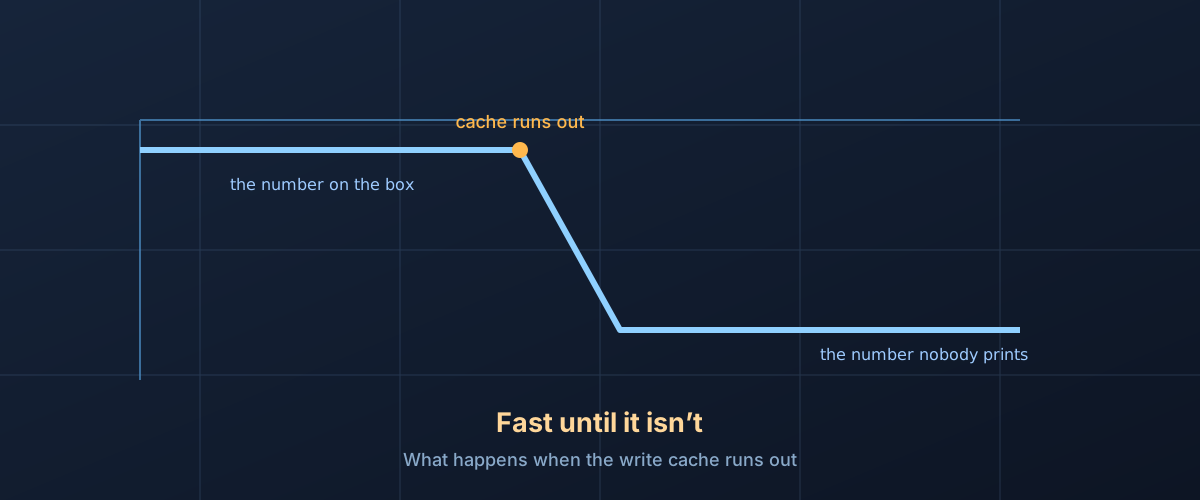
You start copying a 200GB folder onto a drive advertised at “up to 7,000 MB/s.” The transfer bar flies for the first several seconds, the estimate reads under a minute, and then it stalls. Thirty seconds later the estimate says twenty minutes. Nothing failed. The drive did exactly what its spec sheet promised, and the spec sheet just didn’t mention the part that matters.
The number on the box is a cache speed
Almost every consumer SSD sold today stores data as TLC or QLC flash, meaning each memory cell holds three or four bits instead of one. That’s what makes multi-terabyte drives affordable, but it comes at a cost: packing more bits into a cell means more voltage levels to distinguish during a write, which takes longer per cell. As Samsung’s TurboWrite white paper puts it, “3-bit MLC NAND write speeds are slower because the additional bit(s) require more signal processing and error correction during writing.”
The workaround, used under different marketing names by every major controller and drive maker, is to let part of the flash briefly pretend to be faster single-bit SLC memory. Incoming writes land in this pseudo-SLC buffer first, at SLC speed, while the drive copies the data into its real multi-bit storage later, whenever it gets an idle moment. The number printed on the box is measured while that buffer still has room. It is real, but it’s a description of the cache, not of the drive’s flash.
Once the buffer fills, there’s nowhere left to absorb writes at speed. The drive has to switch to writing directly into native TLC or QLC, at whatever that flash can actually sustain, which is the write speed nobody puts on the front of the box.
The cache isn’t a fixed size
The earliest implementations of this trick sized the buffer off the drive’s total capacity and left it there. Samsung’s 2013 white paper on the 840 EVO shows exactly this: a 3GB buffer on the 120GB and 250GB models, rising to 12GB on the 1TB model, regardless of how much of the drive was actually in use. Once that fixed allowance was spent, the drive fell back from 410 MB/s to 140 MB/s on the 120GB model, a number straight out of Samsung’s own measurements in the same document.
Most current drives do something more flexible: they carve the cache out of whatever space is currently unused, rather than off a number fixed at the factory. Advantech’s explanation of SLC caching, aimed at engineers speccing storage into other products, states it plainly: “the size of the SLC cache differs based on the available free space on the drive,” so “larger and less occupied drives can write more data at peak speeds compared to smaller SSDs or those nearing full capacity.” A drive with 1.5TB free can build a much bigger fast buffer than the same drive with 50GB free.
That’s a genuine improvement for anyone who keeps a drive mostly empty. It’s also why the same drive model can review as fast in a half-full-drive benchmark and disappoint in someone’s actual, nearly-full system: the reviewer and the reader are measuring two different cache sizes on the same hardware.
What this looks like on a real drive
Tom’s Hardware’s review of the Crucial T710 2TB puts numbers on it. Their test method: hammer the drive with sustained sequential writes for fifteen minutes with Iometer, watching where the speed breaks and what it settles to afterward. On that drive, they measured writes landing in single-bit pseudo-SLC mode at just over 13.1 GB/s for about 30 seconds, which works out to a 394GB cache, before performance dropped to a steady state around 4 GB/s once the drive was writing directly into its TLC flash. Their review is explicit about the mechanism behind the size, too: “as the drive is filled, the cache will become correspondingly smaller, which means each state lasts for a shorter period of time.”
They also flag a second effect worth knowing about: folding. Once the cache is full, the controller has to migrate already-cached data out into permanent TLC storage to free up cache space for what’s still coming in, competing with the new write for the same flash. Tom’s Hardware notes performance “can suffer even more” while that’s happening, meaning the worst moment of a big transfer isn’t always the sustained rate quoted above. It can be briefly slower still, right at the point the cache first runs dry.
None of these numbers are ones SnappyDisk measured. They’re published, attributed lab results, cited here because they’re the closest thing to seeing the mechanism happen on real hardware.
Working out where your drive’s cliff sits
A manufacturer’s headline sequential-write number tells you the cache speed and nothing about its size or what’s on the other side of it. A few ways to actually find that out before you need it:
- Search for a written review of your specific model that mentions “SLC cache” or “sustained write.” Enthusiast and trade outlets that run the kind of sequential-fill test described above will usually report a cache size in gigabytes and a post-cache speed. That’s the number that predicts a big transfer, not the headline spec.
- Treat “up to” as literal. It’s the ceiling, reachable only while the cache has room. Nothing about the phrase promises how long that lasts.
- Watch your own free space, not just the drive’s capacity. Because the cache is commonly carved from whatever’s currently unused on dynamic-cache drives, a drive that reviewed well at half-empty can behave differently once you’ve filled it with your own files. The exact fraction of free space a given controller uses is not something manufacturers publish, and it varies by drive, but the direction is consistent: less free space means a smaller cache.
- Size the transfer against the workload, not the spec sheet. A photo library synced in small batches rarely fills any cache. Copying a multi-hundred-gigabyte video project, restoring a large backup, or installing several large games back to back is exactly the situation where the cache runs out and the native flash speed becomes what you actually experience.
This isn’t a defect, it’s a design choice
A drive that slows down under sustained load partway through a big copy is behaving as designed, not failing. Building enough native TLC or QLC performance to sustain the headline number indefinitely would cost more NAND and a different controller, at a price point most buyers wouldn’t pay for. The cache is a reasonable bet that most real usage is bursty enough never to exhaust it, and for a lot of people, that bet pays off: if you never move more than a few gigabytes at a time, you may never personally see the far side of the cliff.
The honest reading of the spec sheet is that “up to” number describes best-case behavior on a mostly-empty drive doing a burst of writes, which is a real thing a drive can do, just not the only thing worth knowing about it before a large transfer.